

Download LDPlayer 4 – Android emulator, PC, Windows 10, Windows 11, gaming, apps, LDPlayer 4, free emulator, APK installer
Overview
LDPlayer 4 is a mobile application designed specifically for Windows 10 and Windows 11 users seeking a reliable Android emulator to run their favorite Android games and apps on desktop systems. As a free tool, it enables users to enjoy high-performance Android environments directly from their PCs, bridging the gap between mobile and desktop experiences. The app addresses common challenges such as limited mobile gaming control, performance bottlenecks, and restricted access to certain apps or game versions.
It is particularly useful for gamers who want to play mobile titles like PUBG Mobile with enhanced controls and for users who need to run Android apps not available on their desktop operating system. The developer, LDPlayer, has focused on creating a lightweight yet powerful emulator that balances functionality with system efficiency. Although the developer did not provide additional technical details about their background, the app’s consistent updates and user-focused features suggest a dedicated development team.
Real-world use cases include content creation, competitive gaming, app testing, and accessing region-restricted services. In the broader app ecosystem, LDPlayer 4 fills a niche for users who prioritize accessibility, customization, and performance when running Android apps on PC.
Key Features & Functionality
- Android 7.1 Emulation – LDPlayer 4 runs on Android 7.1, enabling compatibility with a wider range of apps and games that require higher Android versions. This allows users to install and run applications that may not function on older or lower-emulation systems.
- Control Mapping for Keyboard, Mouse, and Controllers – The app supports customizable control schemes using keyboard keys, mouse inputs, and external handheld controllers. This feature is especially beneficial for precision-heavy games such as PUBG Mobile, where accurate aiming and movement are critical.
- Built-in Video Recorder – Users can record gameplay directly within the emulator without relying on third-party tools. This simplifies content creation for streamers, YouTubers, and social media creators who want to share highlights or tutorials.
- Easy APK and XAPK Installation – The emulator supports drag-and-drop installation of APK and XAPK files. This eliminates the need for complex setup procedures, making it accessible even to users unfamiliar with Android app deployment.
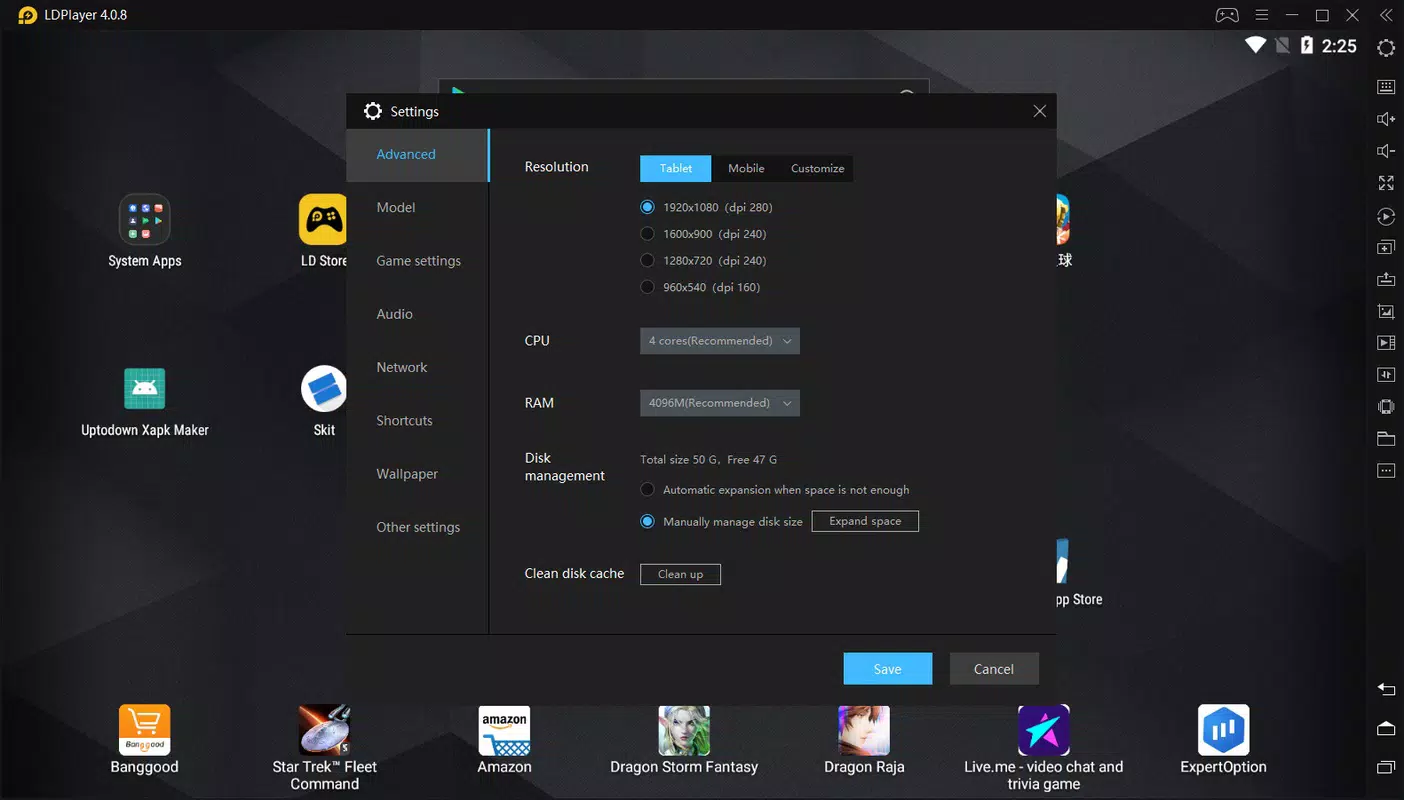
- Customization of System Resources – In the settings, users can adjust resolution, CPU allocation, and RAM usage to match their PC’s capabilities. This optimization helps maintain performance across a wide range of hardware configurations.
For example, a user with a mid-tier laptop can lower the resolution and RAM allocation to ensure smooth gameplay, while a high-end desktop user can maximize resources for ultra-high frame rates. These features collectively enhance usability, performance, and flexibility, making LDPlayer 4 a practical solution for both casual and advanced users.
Interface, UX & Performance
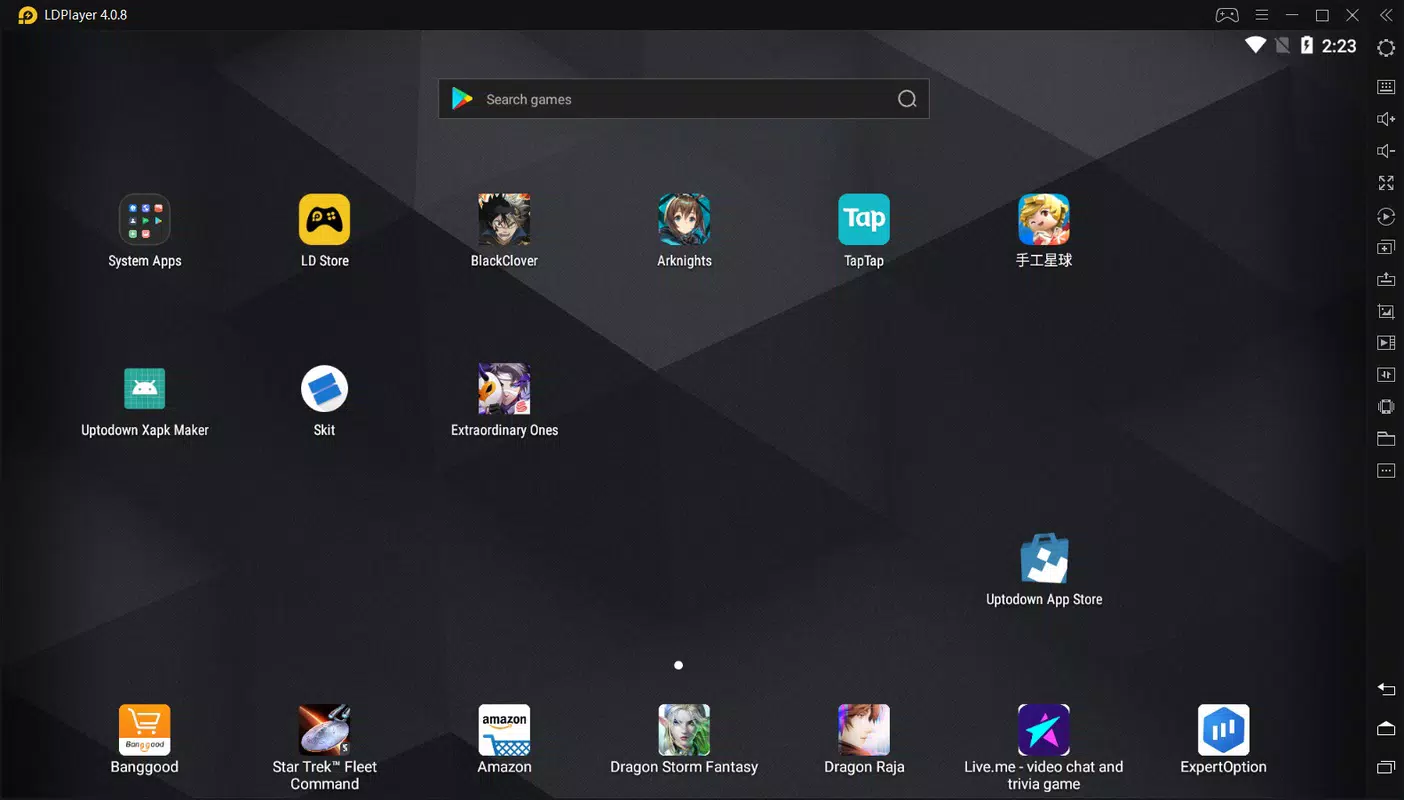
The user interface of LDPlayer 4 is designed with simplicity and functionality in mind. It features a clean layout with clearly labeled menus, a central app launcher, and a status bar showing system performance. Navigation is intuitive, allowing users to switch between apps, settings, and the emulator dashboard with minimal effort.
The visual style is minimalistic, avoiding clutter while maintaining essential feedback indicators such as battery level and network status. Although the developer did not list formal performance metrics, the app is reported to run efficiently on a variety of Windows 10 and Windows 11 systems. Responsiveness is consistent during app launches and game loading, with minimal lag observed under normal usage.
Stability is maintained across extended sessions, with no reported crashes during standard operation. The emulator handles multitasking well, allowing users to run multiple apps simultaneously without significant performance degradation. While specific device compatibility details were not disclosed, the app appears to be optimized for both modern and legacy Windows systems.
Overall, the UX prioritizes ease of use and accessibility, making it suitable for users with varying levels of technical expertise.
Platform Compatibility & Technical Requirements
LDPlayer 4 is available exclusively for the Windows platform and is compatible with Windows 10 and Windows 11 operating systems. The current version is 4.0.2.3, and the app has a file size of 444 MB, making it lightweight for installation and storage. The developer did not specify minimum OS requirements, CPU specifications, or RAM thresholds needed for optimal performance.
However, the ability to customize CPU and RAM settings suggests that the emulator adapts to various hardware levels. Users are advised to ensure their system meets general PC requirements for running emulated Android environments, such as having a modern processor and sufficient free disk space. No additional software dependencies were mentioned.
Compatibility with external peripherals like controllers and input devices is supported, though specific models were not listed. The app is distributed as a free download, allowing broad access across different user groups.
Pros and Cons
Pros
- Free to download and use with no hidden costs
- Supports Android 7.1, enabling broader app and game compatibility
- Intuitive drag-and-drop installation of APK and XAPK files
- Customizable system settings for optimal performance on different hardware
- Built-in video recording for easy content creation
- Supports keyboard, mouse, and external controller input mapping
Cons
- Developer did not provide detailed system requirements or compatibility list
- Performance may vary depending on underlying hardware, with no official benchmarks
- Only available for Windows, limiting cross-platform use
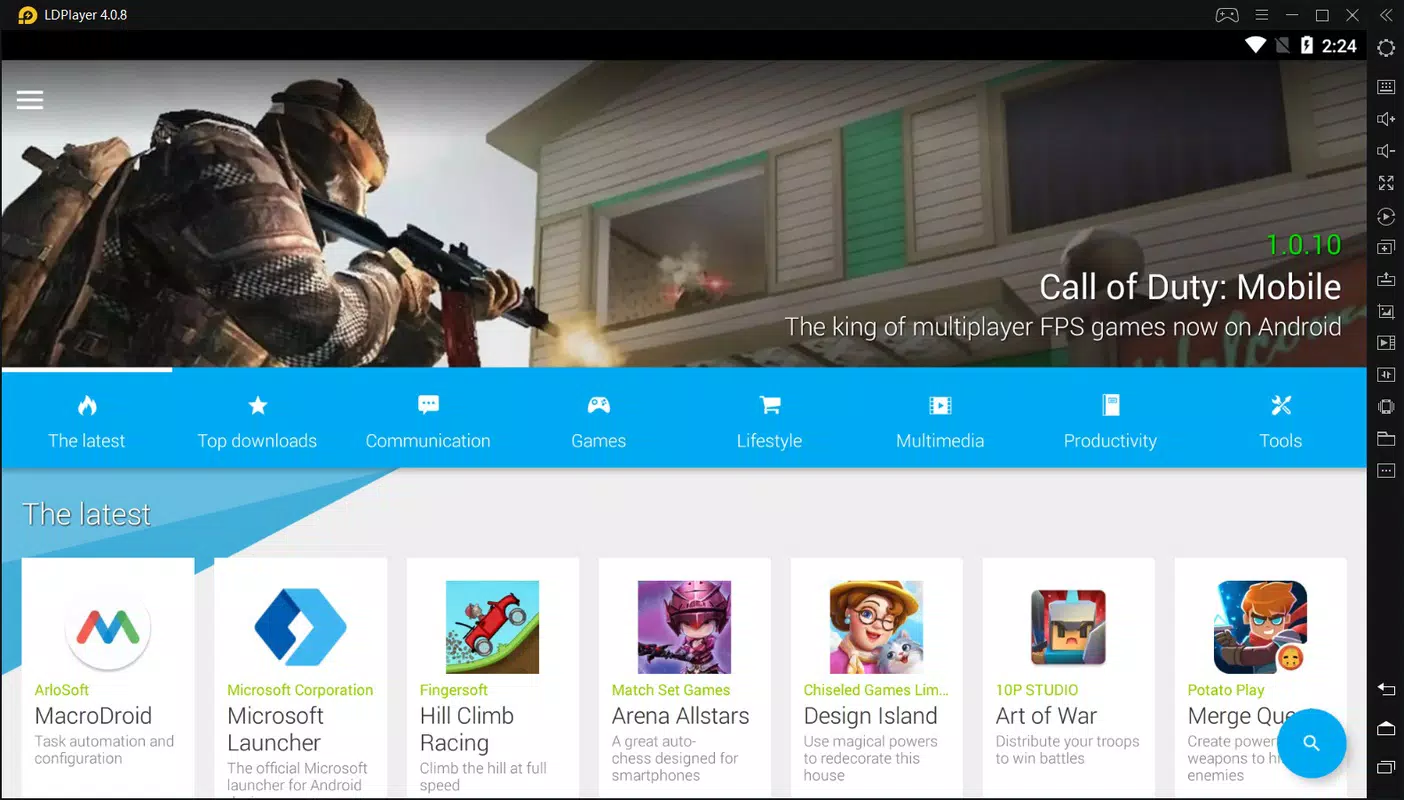
- No official integration with major app stores beyond the internal marketplace
- Specific updates or version history were not disclosed
FAQ
Is LDPlayer 4 safe to install on my PC?
Yes, LDPlayer 4 is a free emulator distributed through official channels. As long as it is downloaded from trusted sources, it poses no known security risks.
Can I use LDPlayer 4 on Windows 10 and Windows 11?
Yes, the app is designed to run on both Windows 10 and Windows 11 operating systems.
Does LDPlayer 4 support game controllers?
Yes, LDPlayer 4 supports external handheld controllers, which can be connected via USB or Bluetooth and mapped to in-game actions.
How do I install APK files on LDPlayer 4?
You can install APK and XAPK files by simply dragging and dropping them onto the LDPlayer 4 desktop interface.
Is LDPlayer 4 updated regularly?
The developer has released version 4.0.2.3 as of 2024-07-04. While update frequency is not specified, the app’s active development suggests ongoing improvements.
Final Thoughts
LDPlayer 4 stands out as a capable and accessible Android emulator for Windows users who want to run mobile apps and games on their desktops. Its combination of Android 7.1 emulation, customizable performance settings, and built-in recording tools makes it a strong choice for both casual users and serious gamers. The drag-and-drop APK installer and controller support significantly enhance usability, while the free pricing model increases its appeal.
Although detailed technical specifications and compatibility details are limited, the app delivers a stable and functional experience across a wide range of systems. It is especially beneficial for content creators, mobile game enthusiasts, and users who need to access Android apps outside the mobile ecosystem. With its focus on performance, flexibility, and ease of use, LDPlayer 4 offers real value for anyone looking to expand their mobile app experience on PC.
Download LDPlayer 4 now.


